
Download Charlotte – free multi‑search tool for Mac
Overview
Charlotte is a lightweight, free internet utility designed exclusively for macOS. Belonging to the “Internet Software” category with a sub‑category of “Web – Multi‑search,” Charlotte lets users query several search engines and specialised content sites from a single, unified interface. First added to our catalog in 2007, the program has accumulated more than 1,100 downloads and remains a solid choice for Mac users who need a fast, no‑frills way to browse the web without opening multiple browser tabs. The current version, 1.2, was last updated on June 21 2007 and runs on any Mac OS X system, including legacy releases. While the software is only available in English, its simple layout and minimal storage footprint make it an appealing addition to any Mac toolbox, especially for those who value speed and privacy over flashy graphics.
Key Features of Charlotte
- Multi‑engine search: Query Google, Bing, Yahoo!, and niche engines simultaneously, saving time and reducing repetitive typing.
- Customizable search presets: Create and store your own search configurations for quick access to frequently used sites such as Wikipedia, Stack Overflow, or academic databases.
- Lightweight design: Requires less than 5 MB of disk space, making it ideal for older Mac hardware or users who keep their systems lean.
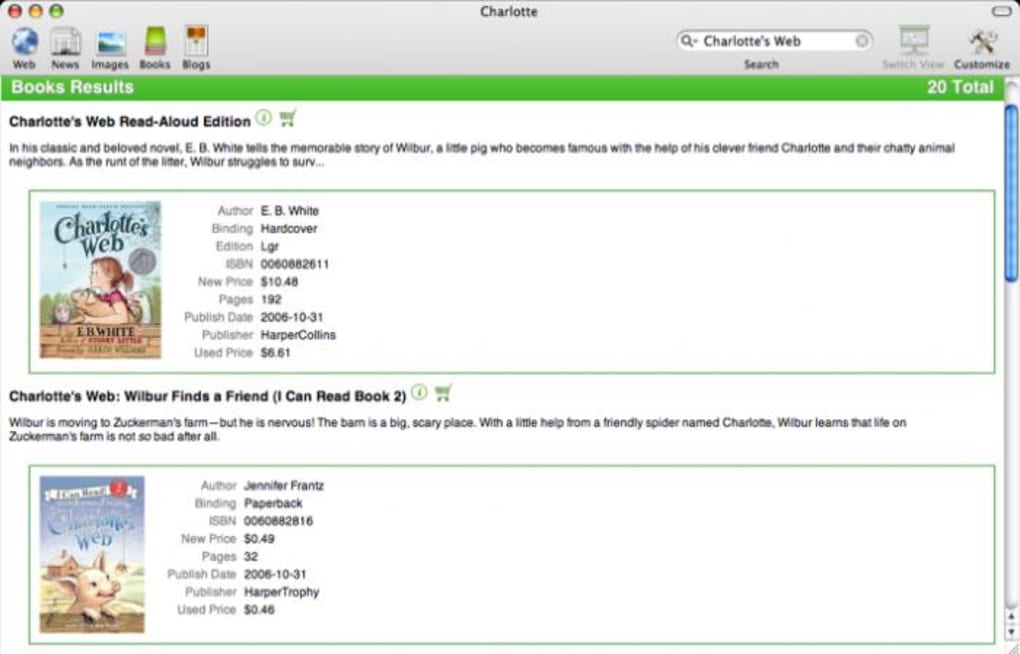
- Result preview pane: View snippets of each result without leaving the Charlotte window, enabling rapid triage of information.
- Secure HTTPS handling: All queries are transmitted over encrypted connections where supported, protecting your search terms from eavesdropping.
- Automatic updates (legacy): Although the last official update was in 2007, the installer checks for newer community builds and notifies you when they become available.
- Simple drag‑and‑drop: Drop a URL or text block onto the Charlotte window to instantly search across all configured engines.
- Keyboard shortcuts: Power users can navigate the interface entirely from the keyboard, speeding up the research workflow.
Installation & Usage Instructions
Getting Charlotte up and running on your Mac is straightforward. Follow these steps for a smooth installation and start leveraging its multi‑search capabilities right away:
- Download the installer: Click the “Download Charlotte” button below. The file is a compressed
.dmgpackage of about 4 MB. - Mount the DMG: Double‑click the downloaded file. macOS will open a virtual disk on your desktop.
- Copy to Applications: Drag the Charlotte icon into your
/Applicationsfolder. This step ensures the app receives the correct permissions and is available to all user accounts. - Launch for the first time: Open Charlotte from the Applications folder or via Spotlight. macOS may warn you that the app is from an unidentified developer; simply click “Open” to proceed.
- Initial configuration: The first launch presents a wizard where you can select default search engines, set your preferred language, and decide whether the result preview pane should be displayed.
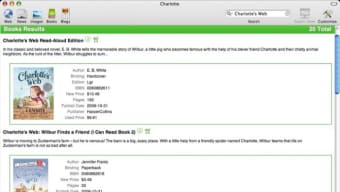
- Start searching: Type a query into the main field and press Enter. Charlotte will instantly query all selected engines and display results in a split view.
- Save custom presets: Use the “Presets” menu to store a group of engines for specific research topics, such as “Academic,” “Tech News,” or “Shopping.”
- Update checks: Although the official version has not been updated since 2007, Charlotte checks a community‑maintained feed once a month. If a newer build is found, you’ll receive a discreet notification with a download link.
Because Charlotte is a native macOS application, it integrates with the system’s Services menu. You can right‑click any highlighted text in Safari, Mail, or other apps and choose “Search with Charlotte” to launch a contextual multi‑search without leaving your current workflow.
Compatibility, Pros & Cons
Charlotte runs on macOS X 10.3 (Panther) and newer, including the latest macOS Ventura releases. The app is built using 32‑bit libraries, which means it may require Rosetta 2 translation on Apple Silicon Macs (M1, M2). Despite this, performance remains snappy thanks to the program’s modest resource demands.
Pros
- Free to download and use, with no hidden fees or subscription model.
- Very small footprint – under 5 MB of storage, ideal for older Macs.
- All‑in‑one search window eliminates the need for multiple browser tabs.
- Secure HTTPS queries protect privacy.
- Highly customizable presets for specialized research.
- Keyboard‑centric design speeds up repetitive searches.
Cons
- Last official update was in 2007; some modern search engines may have altered APIs.
- 32‑bit architecture may require Rosetta on Apple Silicon, potentially adding a slight delay.
- No native macOS Dark Mode support; the interface remains light‑themed.
- Limited to English language interface, which can be a barrier for non‑English speakers.
- Community updates are irregular, so users must monitor the project page for newer builds.
FAQ & Conclusion
Is Charlotte completely free or does it have hidden costs?
Charlotte is 100 % free. There are no in‑app purchases, subscription fees, or bundled advertising. The only cost you might encounter is a voluntary donation to the community developers who maintain unofficial updates.
Can I use Charlotte on the latest macOS Ventura?
Yes. Charlotte runs on macOS X 10.3 and newer, which includes Ventura. On Apple Silicon Macs the app runs under Rosetta 2, so you may notice a brief translation step, but functionality remains intact.
How does Charlotte protect my privacy when searching?
All queries are sent over HTTPS where the search engine supports it. Charlotte does not store search histories locally unless you enable the optional “Save Queries” feature, and it never shares your data with third parties.
Can I add custom search engines that aren’t listed by default?
Absolutely. Charlotte’s preferences panel includes an “Add Engine” button where you can input the name, base URL, and query parameters for any searchable site, allowing you to tailor the tool to niche databases or internal company portals.
What should I do if a search engine stops returning results?
Because the last official release is from 2007, some engines may have changed their API endpoints. In such cases, you can either disable the affected engine in the settings or replace it with a newer alternative using the custom engine feature.
Conclusion: Charlotte remains a surprisingly capable, free multi‑search utility for macOS users who value speed, simplicity, and a tiny storage footprint. While the software shows its age and lacks modern UI polish, its core functionality—searching multiple engines from one window—still saves time for students, researchers, and power users alike. If you need a lightweight tool that consolidates web searches without the clutter of browser extensions, Charlotte is worth a download. Click the button below to get the latest available version and start searching smarter today.







